

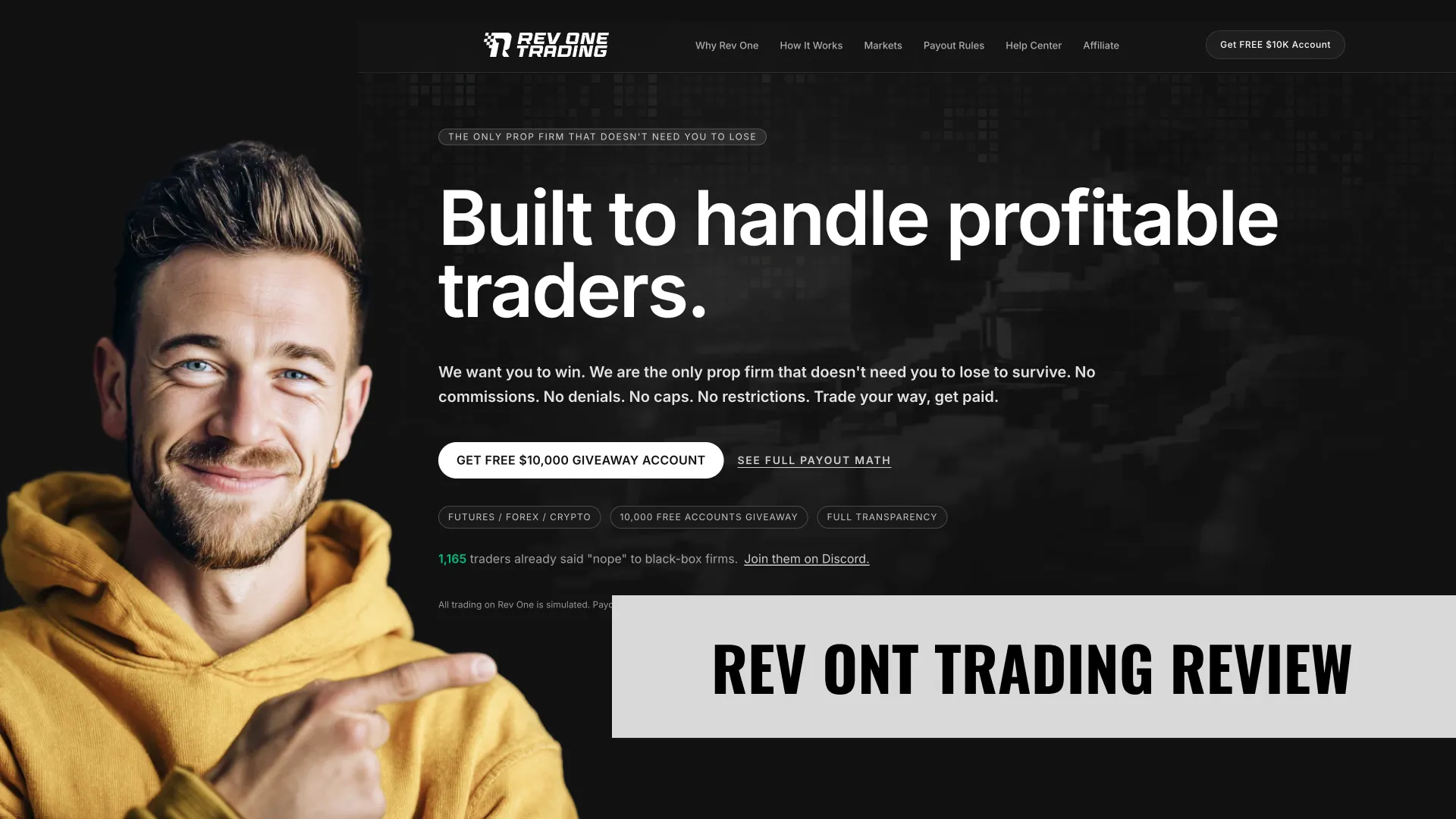

Rev One Trading review covering Octane, Nitro, Static, and Classic accounts across Forex and Crypto. GlassPay pool-based payouts, zero commissions, A-Trader platform. Full rule breakdowns and honest red flags.
- GlassPay publishes the exact revenue split — 40% to traders, 85/15 distributed vs. reserve — which is more transparency than any traditional profit-split firm offers about where payout money actually comes from
- Zero commissions on all Forex and Crypto trades, which eliminates the hidden cost layer that firms like FTMO and E8 Markets build into their pricing via spreads plus commissions
- Four distinct drawdown types (EOD trailing, intraday trailing, static, all-time high) across both Forex and Crypto give you genuine choice in risk structure — most firms offer one, maybe two
- Weekly payouts lock every Friday and clear by Monday, compared to the 14-day or 30-day cycles at firms like FTMO (14 days) or FundingPips (bi-weekly at best)
- The Classic account has no hard breach — instead of liquidation, your payout multiplier decreases based on drawdown depth, so one bad week doesn't kill your account
- Zero payout history, zero Trustpilot reviews, zero community verification — this firm launched in 2025/2026 and has no public track record of actually paying traders
- The GlassPay formula involves 8 behavioral multipliers, a whale throttle, and buffer zones — your actual payout can be dramatically lower than expected if your multipliers are weak
- A-Trader is the only available platform — no MetaTrader, no cTrader, no TradingView-native execution — and virtually no one in the trading community has stress-tested it
- All sales are final with no refunds under any circumstances (except verified duplicate charges within 72 hours), which is aggressive for a firm that hasn't proven its product works
- The consistency rule disqualifies your entire payout cycle if a single day exceeds 30% of your total profit — removable only by purchasing the CGR add-on at 15% of the account price
Account Types & Pricing
5 account types available. Pricing verified May 26, 2026.
| Plan | Price (VIBES) | Cycle | DLL | Split | Paul-tested |
|---|---|---|---|---|---|
| $25K Futures (Octane EOD) | $89 | — | None | Up to 94.5% | No |
| $50K Futures | $108 | — | None | Up to 94.5% | No |
| $75K Futures | $161 | — | None | Up to 94.5% | No |
| $100K Futures | $179 | — | None | Up to 94.5% | No |
| $150K Futures | $239 | — | None | Up to 94.5% | No |
Rev One Trading offers four account types as of April 2026, each available across Forex and Crypto (Futures is listed as "coming soon"). Every account is Instant Funded — no evaluation phase, no challenge. You pay once, get credentials, and trade.
The four types differ in their drawdown mechanics:
Octane Account (EOD Trailing Drawdown)
The Octane is Rev One's most popular account type. The drawdown trails at 3.5% of the starting balance, but it only recalculates at end of day. During the session, your drawdown floor stays fixed at whatever level it was at market open. This is the same mechanic used by firms like Apex Trader Funding and TopOneFutures in the futures space.
As of April 2026, Octane accounts include a 5% buffer zone — profit below that 5% threshold is not eligible for withdrawal. The buffer protects against traders cashing out immediately and leaving the account vulnerable to a breach.
Nitro Account (Intraday Trailing Drawdown)
The Nitro gives you a 4% trailing drawdown that moves in real time. If your account equity peaks at $52,000 on a $50K account, your drawdown floor immediately jumps to $50,000 ($52,000 minus the 4% of starting balance = $2,000). No waiting for end of day. This is the most aggressive drawdown type Rev One offers.
The trade-off: you get a wider drawdown (4% vs. 3.5% on Octane). The Nitro buffer zone is 4% of starting balance.
Static Account (Fixed Drawdown)
The Static account sets a 3% drawdown that never moves in either direction. Your liquidation level is fixed from the moment you purchase the account. It won't trail up with profits, and it won't trail down with losses. If you start a $50K account, your floor is $48,500. Period. It stays there until you either breach it or close the account.
The 8% buffer zone on Static is the largest of all four types. That's a deliberate design choice — the fixed drawdown gives you maximum predictability, but the higher buffer means you need to generate more profit before any of it becomes withdrawable.
Classic Account (All-Time High / No Hard Breach)
The Classic is the most unusual product in Rev One's lineup. There is no hard breach. Instead of liquidating your account when drawdown limits are hit, the Classic uses a dual sub-multiplier system: Cycle Drawdown Multiplier × All-Time Drawdown Multiplier. The worse your drawdown, the lower your payout weight — but your account stays alive.
Classic accounts are priced 20% above Octane Instant Funded pricing. The 5% buffer applies.
This is a genuinely different approach. Every other prop firm I've reviewed (50+) terminates your account at the drawdown floor. Rev One's Classic lets you keep trading, but penalizes your payout share proportionally. Whether that's better depends on your trading style. Swing traders who occasionally dip into drawdown before recovering will appreciate it. Traders who breach and never recover will just accumulate poor multiplier scores on an account that slowly becomes worthless for payouts.
As of April 2026, Rev One Trading's Forex Instant Funded accounts range from $70 (5K Octane) to $1,799 (200K Classic). Exact per-tier pricing is loaded dynamically on their checkout page — the firm does not publish a static pricing table. I've documented the price range from their schema markup, but you'll need to visit revonetrading.com for current per-account prices.
| Account Type | Drawdown Type | Max Loss | Buffer Zone | Available Sizes (Forex) | Available Sizes (Crypto) |
|---|---|---|---|---|---|
| Octane | EOD Trailing | 3.5% | 5% | $5K – $200K | $5K – $100K |
| Nitro | Intraday Trailing | 4.0% | 4% | $5K – $200K | $5K – $100K |
| Static | Fixed | 3.0% | 8% | $5K – $200K | $5K – $100K |
| Classic | All-Time High (no hard breach) | No hard limit | 5% | $5K – $200K | $5K – $100K |
Add-Ons (Purchased at Checkout Only)
Rev One Trading sells 8 add-ons that modify your account's rules. All must be purchased at checkout — you cannot add them later, and there are no refunds. Prices are calculated as a percentage of the base account price.
The most impactful ones:
- Drawdown Boost (proportional formula): Adds +2% to your max loss. Not available on Classic accounts.
- Consistency Gateway Removal (CGR) (15%): Replaces the hard 30% disqualification with a tiered multiplier system. You still get penalized, but you don't lose the entire cycle.
- Reduced Minimum Trading Days (20%): Drops the minimum from 5 qualifying days to 3.
- GlassPay Gold Boost (50%): Multiplies your total Performance Weight by 4x. Expensive, but mathematically the biggest payout lever.
- Leverage Power-Up (20% Forex / 25% Crypto): Doubles your available leverage across all instruments.
- Account Revival (50%): One second chance after a breach. Your account resets instead of terminating.
- Individual Multiplier Boost (7.5% each): Boost any single multiplier. You can stack up to 7 of the 8.
The add-on pricing adds up fast. A $100K Octane with CGR removal, reduced trading days, and a Gold Boost could cost 85% more than the base price. Run the math before checkout.
Who Rev One Trading Is For (And Who It Isn't)
Match yourself to Rev One Trading's structure before signing up. Based on the 5 account types, drawdown mechanic, and Paul's testing data.
- ·Beginners or rule-clarity-first traders — fixed floor, no trailing
- ·Anyone preferring simple math over flexibility
- ·Aggressive sizers — at least one plan has no consistency rule on funded
- ·Traders allergic to daily loss limits — at least one plan has no DLL
Plan Economics: What Each Rev One Trading Account Actually Costs You
The headline price isn't the full picture. Here's the per-account math — buying-power cost, risk buffer, and breakeven estimate based on standard 30%-buffer-utilization assumptions.
| Plan | Buy-in | Risk buffer | Cost per $1K BP | Breakeven* |
|---|---|---|---|---|
| $25K Futures (Octane EOD) | $89 | — | $3.56 | — |
| $50K Futures | $108 | — | $2.16 | — |
| $75K Futures | $161 | — | $2.15 | — |
| $100K Futures | $179 | — | $1.79 | — |
| $150K Futures | $239 | — | $1.59 | — |
How to read this:
- Buy-in = price you pay to start the evaluation (with PTV code applied where available).
- Risk buffer = dollars between your starting balance and the Maximum Loss Limit — the absolute drawdown room before breach.
- Cost per $1K buying power = price ÷ starting balance × $1,000. Lower = cheaper leverage. Useful to compare account sizes within the firm and across firms.
- Breakeven estimate* = approximate number of payout cycles to recoup your buy-in, assuming you utilize 30% of your risk buffer profitably per cycle at the plan's profit split. This is a baseline expectation, not a guarantee — your actual cycle output depends on strategy and discipline.
*Breakeven uses a standard 30%-buffer-utilization-per-cycle assumption. Aggressive sizing can shorten breakeven (and increase breach risk); conservative sizing extends it.
Sweet spot for new users: $25K Futures (Octane EOD) at $89 is the cheapest entry to learn Rev One Trading's rules without risking a larger buy-in. If you're already confident in your strategy, sizing up to $50K Futures typically improves your cost-per-$1K-buying-power ratio.
How Rev One Trading Drawdown Works
Static MLLRev One Trading uses a static Maximum Loss Limit — a fixed dollar amount below your starting balance that never moves. Simplest mechanic to track, with rule clarity instead of flexibility.
How Rev One Trading's mechanic works in practice
- MLL set once at account creation, never recalculated.
- On a $25,000 account, MLL stays fixed below start for the lifetime of the account.
- No trailing means no protection from a losing streak after a winning one — the MLL doesn't rise to lock in profits.
- No lock either — the floor is the same on Day 1 and Day 365.
Best fit
Best for beginners or rule-clarity-first traders. The simplest math in the industry — no recalculation, no surprises.
What to watch out for
- Long losing streaks eat directly into the fixed buffer with no protection from prior profits.
- Static MLL favors short bursts of trading over long-term accumulation — once you're down 50% of the buffer, recovery is harder than under trailing.
- No reward for consistency — your buffer doesn't grow with your account.
Calculate Your Drawdown
⚡ ToolPre-selected for Rev One Trading. Full tool with all firms →
Rev One Trading vs Same-Mechanic Alternatives
4 other firms use the same drawdown mechanic. Side-by-side on the dimensions that matter most when choosing within a category.
| Firm | Plans | Cheapest | Mechanic |
|---|---|---|---|
| Rev One Trading This page | 5 | $89 | static |
| Breakout | 4 | $95 | static |
| FTMO | 4 | $280 | static |
| FundingPips | 11 | $29 | static |
| Instant Funding | 4 | $47 | static |
All firms in this table use static drawdown. See all drawdown mechanics →
How Rev One Trading Payouts Actually Work
2 payout methods supported.
Payout method comparison
| Method | Fees | Speed | When to use |
|---|---|---|---|
| Rise wallet (190+ countries) | Free for traders | Same-day after request | Tradeify-class platform — 7 days/week processing. |
| Crypto via Columis (coming soon) | Network gas only | Minutes | USDC/USDT typical. Fastest for international traders. |
Practical takeaway: Rev One Trading's cycle length means you can realistically expect multiple payouts per month on a profitable funded account. The actual processing time after request varies by method — pick the option that matches your residency and crypto-comfort.
Trading Rules
How Does the Drawdown Work at Rev One Trading?
As of April 2026, Rev One Trading uses four different drawdown systems depending on your account type:
Octane (EOD Trailing 3.5%): Your drawdown floor recalculates at the end of each trading day based on your highest closing balance. During the session, the floor doesn't move. If you start a $50K account and close day one at $51,500, your new floor is $49,750 ($51,500 minus $1,750). The floor can only move up, never down.
Nitro (Intraday Trailing 4%): Same concept, but the floor moves in real time. Every tick of unrealized profit pushes the floor higher. If your $50K account equity touches $52,000 even for one second, your floor permanently moves to $50,000 ($52,000 minus $2,000). This is the drawdown type that catches aggressive scalpers off guard.
Static (Fixed 3%): Your floor is set at purchase and never moves. $50K account = $48,500 floor. Always. The simplest drawdown to manage.
Classic (All-Time High): No hard breach. Instead, two sub-multipliers (Cycle DD and All-Time DD) reduce your payout weight proportionally to your drawdown depth. Deep drawdowns don't kill the account — they kill your payout share.
What Is the Consistency Rule?
As of April 2026: No single trading day can account for more than 30% of your total cycle profit. If you make $3,000 in a payout cycle, no individual day can exceed $900.
Violate this and your entire payout cycle is disqualified. Not reduced. Disqualified.
The Consistency Gateway Removal (CGR) add-on replaces this hard cutoff with a tiered multiplier: 30% or below gets you 0.55x, 40% drops to 0.45x, 50% to 0.35x, and it keeps declining down to 0.05x if one day accounts for 90%+ of your cycle profit. Still painful, but at least you get something instead of nothing.
What Is the Daily Profit Requirement?
Rev One requires 0.50% minimum daily profit on each qualifying trading day. On a $50K account, that's $250 per day. Days below that threshold don't count toward your minimum trading day requirement.
You need 5 qualifying days per payout cycle (reducible to 3 with the add-on). This means you can't just have two monster days and request a payout — you need consistent participation.
What Gets Your Account Killed?
Breaching the drawdown floor on Octane, Nitro, or Static accounts terminates the account immediately. Classic accounts are immune to this, but they're not immune to rule violations.
Actions that terminate any account regardless of type:
- Exploiting system errors or delayed data feeds
- Wash trading, spoofing, or layering
- Using a VPN or masking your location
- Operating multiple accounts (one per person)
- Trading on behalf of someone else
- Placing trades outside best bid/offer
These aren't warnings. They're permanent bans with forfeiture of all pending payouts.
Can You Hold Trades Overnight and Over Weekends?
Yes to both. As of April 2026, Rev One Trading allows overnight holding and weekend holding on all account types across Forex and Crypto. No restrictions, no penalties, no multiplier adjustments.
This is notably more permissive than firms like FTMO (which restricts weekend holding on certain account types) or futures prop firms that require flat positions before market close.
What Are the Lot Size Limits?
Lot size limits vary by account size and asset class. The help center documents specific limits per account tier, but the general framework: larger accounts get proportionally larger position limits. There is no scaling system — your limits are fixed from day one based on the account size you purchased.
Is News Trading Allowed at Rev One Trading?
Yes. All asset classes. No blackout windows around economic releases. Rev One does track news trading activity through a dedicated multiplier (the News Trading Multiplier, range 1.00x–1.20x), which means news profits can actually boost your payout weight if the multiplier works in your favor.
Strategies & Best Practice
Risk Management Specific to Rev One's Rules
The buffer zone is the first thing to internalize. On an Octane account, 5% of your starting balance sits in a non-withdrawable buffer. On a $50K account, that's $2,500 of profit you can't touch. Your actual withdrawable target starts at $2,500 above starting balance, plus whatever you need to hit the 3% profit target ($1,500). So you need to generate $4,000+ in profit before your first payout becomes meaningful.
Position sizing should be calibrated against the drawdown floor, not the buffer. If you're on a $50K Octane with a 3.5% trailing drawdown ($1,750), risking more than 0.5% per trade ($250) leaves you roughly 7 losing trades from breach. Conservative traders on Rev One should target 0.25-0.35% risk per trade.
Handling the Payout Cycle
The weekly rhythm at Rev One is rigid: trade during the week, hit the 3% profit target with at least 5 qualifying days (each producing 0.50% minimum), then wait for Friday 5:00 PM EST lockdown. You have 48 hours (Friday to Sunday) to hit the activation button. Miss the window and your profit stays in the account — it doesn't disappear, but you don't get paid that week.
Minimum activation amounts matter: $250 for accounts up to $25K, $500 for $50K, $1,000 for $100K, $2,000 for $200K. Plus your estimated payout must hit the $50 minimum. On a $5K account with a low performance weight, getting above $50 estimated payout isn't guaranteed even if you hit the profit target.
Common Mistakes I Expect Traders Will Make at Rev One
The multiplier system is the trap. Traders will hit the 3% target, activate payouts, and expect a straightforward calculation. Then they'll see their performance weight reduced by a 0.70x payout number multiplier (first payout penalty), a potential consistency hit, and the whale throttle if they're a large contributor to the pool. The gap between "I made 3% profit" and "I received $X" will surprise people.
The second trap: assuming all drawdown types are equal. A Nitro account's intraday trailing is dramatically harder to manage during volatile sessions than an Octane's EOD trailing. One intraday spike on an NFP release can permanently move your Nitro floor up by $1,000+ — even if price reverses before close. On Octane, that same spike doesn't count until EOD settlement.
Platforms
A-Trader by Arizet
As of April 2026, Rev One Trading offers exactly one platform: A-Trader, built by Arizet. It's a proprietary CFD-based platform with TradingView chart integration.
No MetaTrader 4. No MetaTrader 5. No cTrader. No NinjaTrader. No third-party platform connections.
This is a significant limitation. The trading community has built years of tools, indicators, templates, and muscle memory around MT4/MT5 and cTrader. A-Trader has none of that ecosystem. No MQL scripts, no custom indicators from the MT marketplace, no copy trading services.
The TradingView integration helps — you get professional charting. But execution happens through A-Trader's own engine, and there's no public data on fill quality, slippage, or execution speed during volatile sessions.
Execution Quality and Fills
Unknown. A-Trader hasn't been stress-tested by the trading community yet. There are no independent reviews, no latency benchmarks, no high-frequency trader reports. Rev One Trading operates in a simulated environment (CFDs, not real market access), so execution should theoretically be clean. But "should be" and "is" aren't the same thing.
Mobile and Web Access
A-Trader runs in the browser, which means it works on any device with a modern web browser. No native mobile app has been announced as of April 2026. For traders who rely on mobile execution for position management, this is workable but not ideal — browser-based trading on mobile can be clunky compared to dedicated apps like MT5 mobile or cTrader's native app.
Trust & Legitimacy
Payout Track Record
As of April 2026: none. Zero verified payouts. Zero community screenshots. Zero third-party confirmation that GlassPay actually distributes money as documented.
This is the single biggest question mark around Rev One Trading. The model is documented in exhaustive detail — the revenue waterfall, the 8 multipliers, the whale throttle, the reserve allocation. But documentation and execution are different things. Until I see confirmed payouts from independent traders, I can't verify that the math translates to real money in real wallets.
Company Background
Rev One Trading LLC is registered in Wyoming (1912 Capitol Ave Ste 500, Cheyenne, WY 82001). The website launched in 2025/2026. There is no about page, no team bios, no founder profiles. The Discord community has 3,578 members and 185 online (as of April 2026 check), which suggests early traction but not mass adoption.
The firm is not registered with the CFTC, SEC, NFA, or FINRA. This is standard for CFD-based prop firms — they operate in a simulated environment and don't require financial regulation. But it also means there's no regulatory body overseeing payout obligations or customer protection.
Red Flags and Concerns — Being Honest
I count five yellow flags (not red, but not green either):
- No public track record. GlassPay is a theoretical framework until proven by real payouts.
- All sales final, no refunds. If the platform doesn't work properly or the firm shuts down tomorrow, your money is gone.
- Single proprietary platform. If A-Trader has execution issues, there's no fallback.
- Wyoming LLC registration. Minimal corporate transparency requirements. Easy to set up, easy to dissolve.
- Payout formula complexity. Eight multipliers, buffer zones, whale throttles, and activation windows create many points where a payout can be reduced or delayed. The more complex the formula, the more variables the firm controls.
None of these are proof of fraud. Many are standard for early-stage prop firms. But they collectively mean you should risk only what you're comfortable losing entirely if the firm doesn't deliver.
How Long Rev One Trading Has Operated vs. Competitors
| Firm | Founded | Trustpilot | Total Payouts |
|---|---|---|---|
| FTMO | 2015 | 4.8/5 (6,000+) | $200M+ |
| E8 Markets | 2021 | 4.3/5 (3,200+) | $67M+ |
| FundingPips | 2022 | 4.6/5 (2,500+) | $30M+ |
| Sway Funded | 2023 | 4.5/5 (800+) | $10M+ |
| Rev One Trading | 2025/2026 | None | Unknown |
Rev One is the youngest firm on this list by a wide margin. The gap between its launch date and any meaningful payout verification will likely be 6-12 months at minimum.
How Rev One Trading Compares
| Feature | Rev One Trading | FTMO | FundingPips | E8 Markets | Sway Funded |
|---|---|---|---|---|---|
| Evaluation | Instant Funded | 2-phase challenge | 1-phase, 2-phase, or instant | 1-phase (E8 One) or instant | Instant Funded |
| Payout Model | Pool-based (GlassPay) | 80/20 split (up to 90/10) | 80/20 (up to 100%) | 80% (up to 100%) | 75/25 (up to 90/10) |
| Payout Frequency | Weekly | Every 14 days | Bi-weekly | Bi-weekly | Bi-weekly |
| Commissions (Forex) | Zero | $6/round-turn | $3/round-turn | $5/round-turn | $3/round-turn |
| Max Account Size | $200K | $200K | $300K | $400K | $200K |
| Drawdown Options | 4 types | 1 type (daily + max) | 1-2 types | 2-3 types | 1 type (EOD trailing) |
| Platforms | A-Trader only | MT4, MT5, cTrader, DXtrade | cTrader, Match Trader | MT5, TradeLocker, Match Trader | cTrader, TradeLocker |
| Crypto Trading | Yes (dedicated accounts) | Yes (within multi-asset) | Yes (CFDs) | Yes (Signature Crypto) | Limited |
| News Trading | Allowed | Restricted on some accounts | Allowed | Allowed | Allowed |
| Trustpilot | None | 4.8/5 | 4.6/5 | 4.3/5 | 4.5/5 |
| Refund Policy | No refunds | 14-day guarantee (conditions) | No refunds | No refunds | No refunds |
Where Rev One Trading Wins
Payout transparency. No other firm I've reviewed publishes their revenue allocation formula. FTMO says "80/20" but doesn't tell you what percentage of their revenue goes to payouts vs. operations. Rev One publishes the exact waterfall: 45% operations, 40% trader pool, 15% company profit. You can argue about whether the multipliers are fair, but at least you can see the math.
Commission structure. Zero commissions on Forex and Crypto. FTMO charges $6 round-turn. E8 Markets charges $5. FundingPips charges $3. Over hundreds of trades per month, that difference compounds. For scalpers taking 20+ trades per day, this is real money.
Drawdown variety. Four types vs. one or two at most competitors. If you hate trailing drawdowns, pick Static. If you want no hard breach, pick Classic. That flexibility doesn't exist at FTMO, FundingPips, or Sway Funded.
Payout speed. Weekly cycles vs. bi-weekly or monthly. For cash-flow dependent traders, that's meaningful.
Where Rev One Trading Loses
Trust. FTMO has 9 years of operation and $200M+ in verified payouts. E8 Markets has 5 years and $67M+. Rev One has months and zero. The payout model can be as transparent as it wants — until real money hits real wallets consistently, trust is theoretical.
Platform ecosystem. FTMO supports MT4, MT5, cTrader, and DXtrade. E8 Markets offers MT5, TradeLocker, and Match Trader. Rev One offers A-Trader and nothing else. If you've built your trading setup around MetaTrader or cTrader, switching to an unknown platform is a non-trivial ask.
Payout predictability. An 80/20 split is simple: you made $1,000, you get $800. GlassPay is not simple. Your payout depends on how much revenue the firm generated that week, how many other traders are in the pool, what your 8 multipliers look like, and whether the whale throttle applies. You can't calculate your payout before the Friday lockdown. That uncertainty is a cost.
Community support. FTMO and E8 Markets have years of Reddit threads, YouTube tutorials, Discord channels, and community-built tools. Rev One has a 3,500-member Discord and a 7-page website. When you run into an issue at 2am, the support infrastructure matters.
My Recommendation by Trader Type
Choose Rev One Trading if: You're an experienced Forex or Crypto trader comfortable with a new, unproven firm. You want zero commissions and instant funding. You're willing to learn a new platform. You find GlassPay's transparency compelling and want to be an early adopter before the pool gets crowded.
Choose FTMO if: You want maximum platform choice, a proven 9-year track record, and a straightforward profit split. You don't mind passing a 2-phase challenge first. You value stability over innovation.
Choose FundingPips if: You want a middle ground — relatively young firm (2022) but with $30M+ in verified payouts, competitive commissions ($3/RT), and multiple evaluation paths including instant funding. cTrader support is a plus.
Choose E8 Markets if: You want multi-asset access (Forex, Crypto, and Futures) with a firm that's been paying for 5 years. The profit split progression from 80% to 100% is straightforward and performance-based.
Choose Sway Funded if: You want instant funding with a simpler rule set and a firm that has at least a year of payout history. Less flexibility than Rev One's four drawdown types, but more proven execution.
Bottom Line
Rev One Trading is the right choice for risk-tolerant Forex and Crypto traders who value payout model transparency and zero commissions over a proven track record. The GlassPay system is the most transparent revenue-sharing model in the prop industry as of April 2026, with a published waterfall that no competitor matches. It is not the right choice for traders who need platform flexibility (A-Trader is the only option), payout predictability (8 multipliers make calculations complex), or a firm with verified payout history. As of April 2026, the best alternative for traders who want instant funding with a proven track record is FundingPips or Sway Funded.
Frequently Asked Questions About Rev One Trading
What is Rev One Trading?
Rev One Trading is a multi-asset proprietary trading firm based in Wyoming that offers instant-funded accounts for Forex and Crypto trading (with Futures coming soon). The firm launched in 2025/2026 and uses a pool-based payout model called GlassPay, where 40% of the firm's weekly revenue is distributed to traders based on performance weight.
What makes Rev One Trading different from other prop firms?
Two things: the GlassPay payout model and the drawdown variety. GlassPay replaces the standard profit split (80/20, 90/10) with a published revenue-sharing formula — 40% of firm revenue goes to traders weekly. The firm also offers four drawdown types (EOD trailing, intraday trailing, static, and all-time high with no hard breach), which is more than any other Forex prop firm I've reviewed.
What is the profit split at Rev One Trading?
Rev One doesn't use a traditional profit split. GlassPay allocates 40% of weekly revenue to the Trader Payout Pool. Of that pool, 85% is distributed to traders based on performance weight (calculated from 8 behavioral multipliers), and 15% goes to a reserve buffer. Your individual payout depends on your performance weight relative to all other traders in the pool.
What are the trading rules at Rev One Trading?
As of April 2026: 3% profit target per payout cycle, 0.50% minimum daily profit on qualifying days, 5 minimum qualifying trading days (reducible to 3 with add-on), 30% consistency rule (no single day exceeds 30% of cycle profit), and drawdown limits specific to your account type (3.5% EOD trailing on Octane, 4% intraday on Nitro, 3% fixed on Static, no hard breach on Classic).
What platforms does Rev One Trading support?
Only A-Trader by Arizet, a proprietary browser-based platform with TradingView chart integration. There is no MetaTrader, cTrader, or any third-party platform support as of April 2026.
Is Rev One Trading good for beginners?
Not recommended. The GlassPay multiplier system is complex, the single platform limits learning resources, and the firm has no track record. Beginners would be better served by established firms like FTMO or E8 Markets where community support, platform tutorials, and payout proof are readily available.
What is GlassPay and how does it work?
GlassPay is Rev One's revenue-sharing payout model. Every week, 45% of firm revenue covers operations, 40% goes to the Trader Payout Pool (TPP), and 15% is company profit. Of the TPP, 85% gets distributed to traders and 15% goes to reserves. Each trader's share is calculated by dividing their Performance Weight (profit × 8 multipliers) by the total pool's Performance Weight.
Can you hold trades overnight at Rev One Trading?
Yes. Overnight and weekend holding is allowed on all account types across both Forex and Crypto. There are no restrictions or multiplier penalties for holding positions through close or through weekends.
What is the biggest risk of trading with Rev One Trading?
The firm has zero verified payout history as of April 2026. The GlassPay model is thoroughly documented but entirely unproven. Combined with a no-refund policy, a single proprietary platform, and a Wyoming LLC structure with minimal transparency requirements, you should only invest money you can afford to lose completely.
How does the Classic account work without a hard breach?
Instead of liquidating your account at a drawdown threshold, the Classic account uses a dual sub-multiplier system: Cycle Drawdown Multiplier × All-Time Drawdown Multiplier. The deeper your drawdown, the lower your payout weight becomes. Your account survives, but your share of the pool shrinks proportionally.
What payout methods does Rev One Trading offer?
Crypto: USDT (TRC-20 and ERC-20), USDC, Bitcoin, and Ethereum. Bank transfer via Rise (RiseWorks) with 1-3% platform fees. No PayPal, no Payoneer, no Wise. Crypto payouts have gas fees ranging from $1-$3 (TRC-20) to $5-$30 (ERC-20).
Is Rev One Trading legit?
Rev One Trading LLC is a registered Wyoming company. The firm is not regulated by the CFTC, SEC, NFA, or FINRA, which is standard for CFD-based prop firms. There is no Trustpilot profile, no verified payout history, and no independent auditing of the GlassPay revenue distribution. The firm appears legitimate in its documentation, but legitimacy is proven by payouts, not by marketing materials.
How does Rev One Trading compare to FTMO?
FTMO has 9 years of operation, $200M+ in payouts, and support for MT4/MT5/cTrader. Rev One has months of operation, zero verified payouts, and one proprietary platform. Rev One wins on commission structure (zero vs. $6/RT at FTMO), payout frequency (weekly vs. bi-weekly), and drawdown variety (4 types vs. 1). FTMO wins on trust, platform choice, and community support. Choose FTMO if you prioritize proven reliability. Choose Rev One if you prioritize payout transparency and zero commissions.
Should I choose Rev One Trading in 2026?
Only if you're comfortable being an early adopter of an unproven firm. The GlassPay model is innovative and the zero-commission structure is genuinely competitive. But the firm needs 6-12 months of consistent payout delivery before it earns the same confidence level as established competitors. Start small if you do — a $5K or $10K account to test the process before committing to a larger account.